![Mosaic Full Logo Blue (Transparent).png]](https://support.mosaic-solutions.com/hs-fs/hubfs/Mosaic%20Full%20Logo%20Blue%20(Transparent).png?height=31&name=Mosaic%20Full%20Logo%20Blue%20(Transparent).png)
1. Log in to the Mosaic Analytics Inventory Console.
https://backoffice-console.mosaic-pos.com/
2. Click on the 3-lines to display the side-panel menu.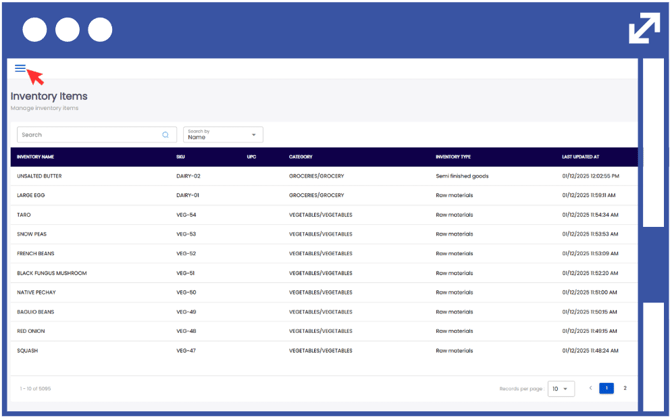
3. On the side-panel menu, click on "Inventory".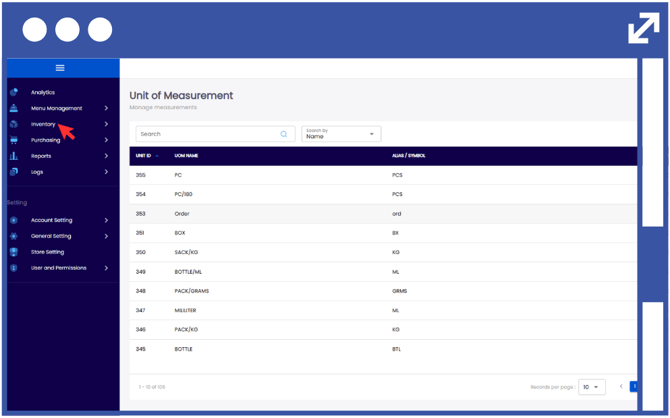
4. Select "Inventory Fulfillment".
5. Click "Inventory Receipts".
Note: You can filter through the Inventory Issue log by typing the Inventory Receipt. Number on the specified text box.
6. Select the "View" button under the actions column to see the inventory issue details.
Notes:
Receipt Items are the goods or products listed on a receipt that have been purchased or received in a transaction.
Stock Cards are records used to track the movement of each inventory item.