![Mosaic Full Logo Blue (Transparent).png]](https://support.mosaic-solutions.com/hs-fs/hubfs/Mosaic%20Full%20Logo%20Blue%20(Transparent).png?height=31&name=Mosaic%20Full%20Logo%20Blue%20(Transparent).png)
1. Log in to the Mosaic Analytics Inventory Console.
https://backoffice-console.mosaic-pos.com/
2. Click on the 3-lines to display the side-panel menu.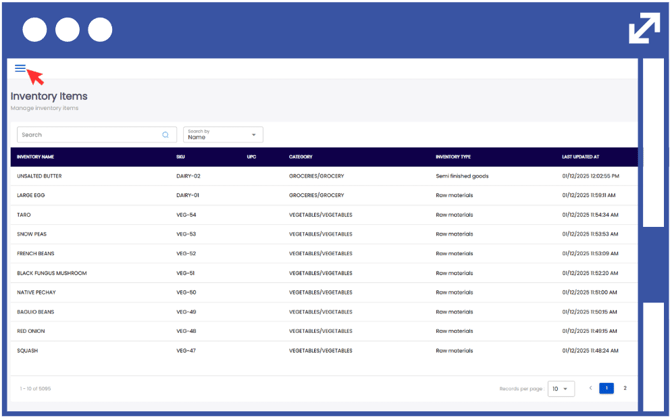
3. On the side-panel menu, click on "Inventory".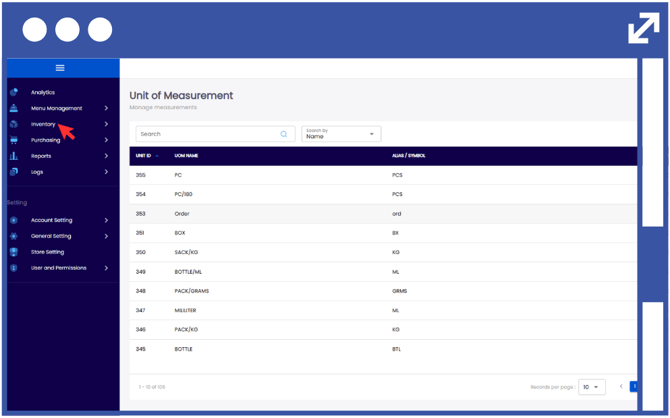
4. Select "Inventory Fulfillment".
5. Select "New Inventory Issuance".
6. From the drop-down list, select the Inventory Request Number you would wish to process.
Notes:
The Sender Location and Receiver Location will automatically be updated based on the selected Inventory Request Number.
The Notes box is optional, so you can leave it blank if you have nothing extra to add.
7. Click "Save".