![Mosaic Full Logo Blue (Transparent).png]](https://support.mosaic-solutions.com/hs-fs/hubfs/Mosaic%20Full%20Logo%20Blue%20(Transparent).png?height=31&name=Mosaic%20Full%20Logo%20Blue%20(Transparent).png)
1. Press the green side buttons of the sticker printer inward.
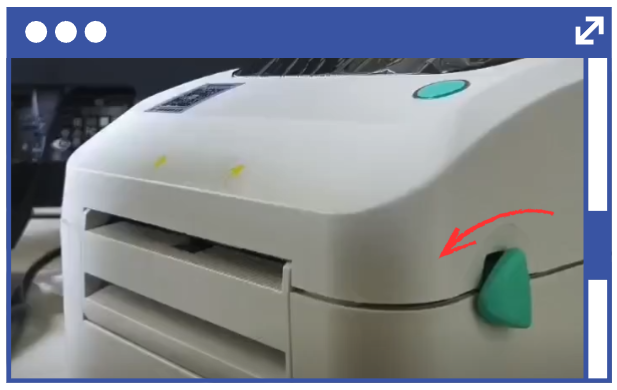
2. Raise the lid/cover.
3. Insert sticker label roll onto the paper shaft.
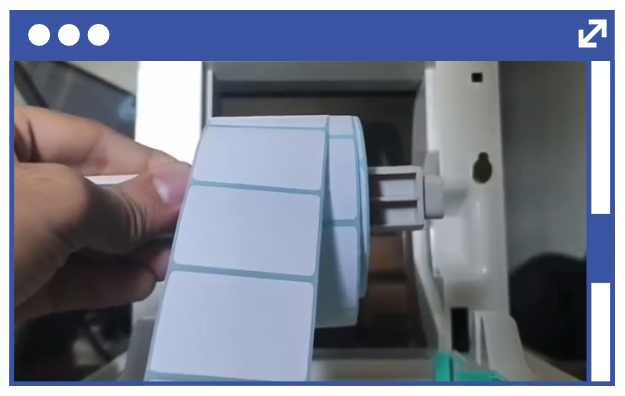
2. Raise the lid/cover.
3. Insert sticker label roll onto the paper shaft.
Note: Make sure that the sticker label is facing upwards before proceeding to the next step.
4. Insert the baffle on both sides to secure the sticker label roll in place.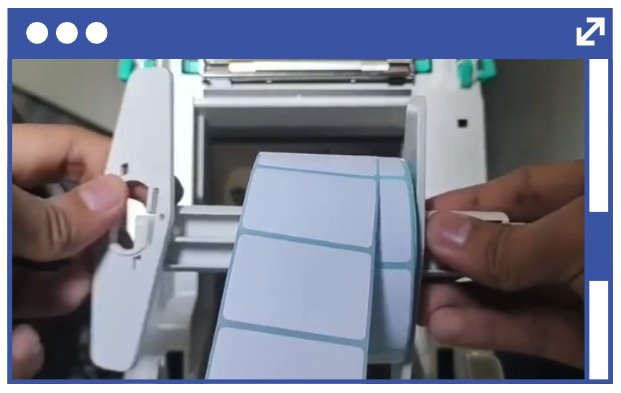
5. Once done, place the paper shaft on top of the notches of the sticker printer.
6. Move the green alignment guide towards the center with the sticker paper underneath leaving enough room for the label to slide out.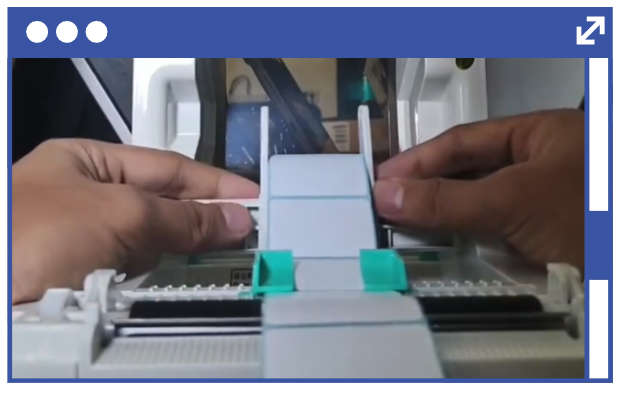
Note: Fix the alignment of the sticker paper roll and alignment guide making sure that it is centered on the device.
7. Close the lid.Note: You will hear a “click” sound. Once you hear it, the device is properly closed and you can begin testing or using the printer.