.png?width=201&height=50&name=HP_TICKETING%20SOLUTIONS_LOGO-BLACKDSFAS%20(1).png)
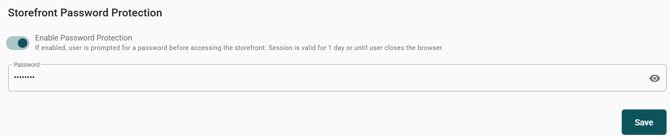
This feature lets you restrict access to your entire event storefront by requiring a password before visitors can view any page. When Enable Password Protection is toggled on, users will be prompted to enter the password you set. The authorized session remains valid for 1 day or until the browser is closed – after that, the password is required again. This is useful for private events, early‑access previews, or client‑only storefronts. Enter your desired Password and click Save to activate.
Configure your password by following these steps:
1. Toggle on “Enable Password Protection”
2. Encode your password under the “Password” field.