.png?width=201&height=50&name=HP_TICKETING%20SOLUTIONS_LOGO-BLACKDSFAS%20(1).png)
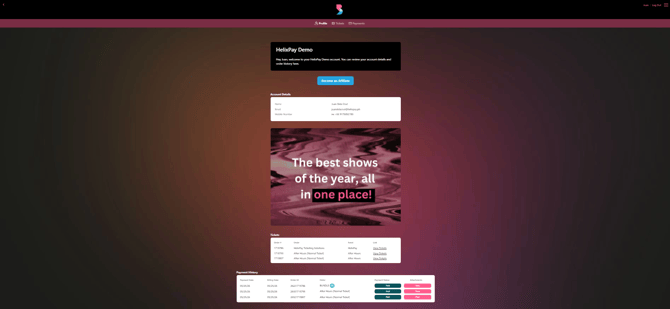
The Customer Page is the account dashboard where your attendee can view their order history, payment history, ticket details, and account information. You can customize this page to drive repeat purchases by adding a Promo Image and a Customer Page Call Out message.
Sample Customer Page on the storefront:
Configure the Customer Page settings by following these steps:
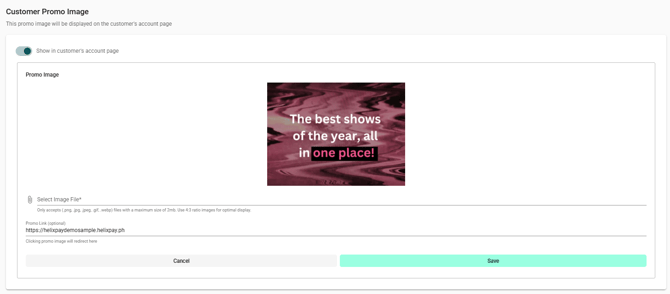
1. Set up the Customer Promo Image.
- Toggle on “Show in customer’s account page”.
- Upload the file of your promo image.
- (Optional) Encode the link that will be associated with the promo image.
2. Set up the Customer Page Call Out.
- Select the text color.
- Encode the text for the product message.
