Skip to content
  • There are no suggestions because the search field is empty.

Custom Fonts

Configure the fonts of the texts on your storefront to ensure optimal readability and brand consistency.

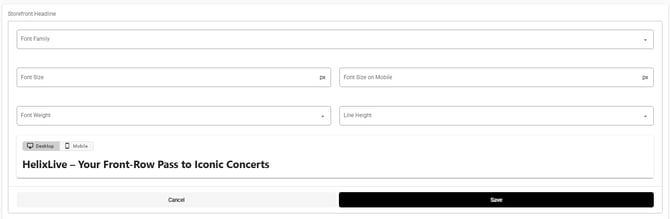
The Custom Fonts section allows you to apply custom typography across your event storefront using any font family from the Google Fonts library. You can independently control font styles (e.g., size, weight, line height) for desktop and mobile viewports on key text elements:

1. Storefront Headline – This is your main hero or welcome text.

2. Storefront Description – This is your brief event/campaign copy.


3. Storefront Description Items – These include item or feature lists.

4. Product Category Nav Header – This includes the category names in the navigation bar.

5. Product Title – This is for the product/ticket name (which applies to product details page).

6. Product Price – This is for the ticket pricing (which applies to product details page).

7. Product Description – This is for the product description text (which applies to the product details page).

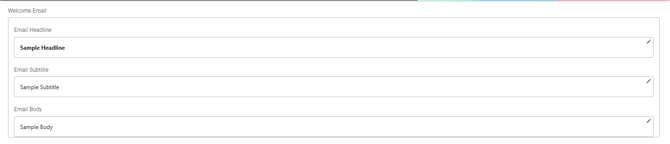
8. Welcome Email – This includes the Email Headline, Email Subtitle, Email Body.

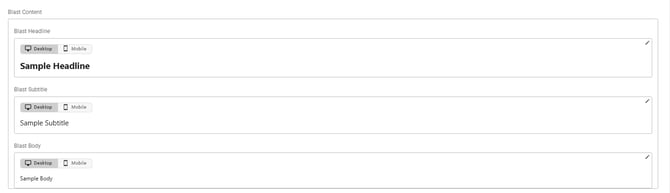
9. Blast Content – This includes the Blast Headline, Blast Subtitle, Blast Body (each with desktop/mobile).

10. Featured/Recommended Product Title – This is for the Featured/Recommended Product section.

11. Highlights – This is for the Highlights section.

12. Goal Projects – Project Title – This is for the Goal Projects section.

13. Content Header Button – This is for the Content Header text.

14. Links – This is for all the links involved in the storefront.

15. Email Links – This is for email-specific links.

16. Ticket – This is for the ticket text.